
For 25 years, answering "What can this user access?" in SharePoint required PowerShell scripts or third-party tools. That changed in late 2025 when Microsoft added user-centric permission snapshot reports to the SharePoint Admin Center.
The feature is genuinely useful, and has clear limitations. Here's what administrators need to know.
What Microsoft now offers
The Data Access Governance reports in SharePoint Admin Center include three snapshot report types:
Site permissions for your organization provides a tenant-wide view of permission structures, total users per site, guest access, "Everyone except external users" exposure, and sharing link counts.
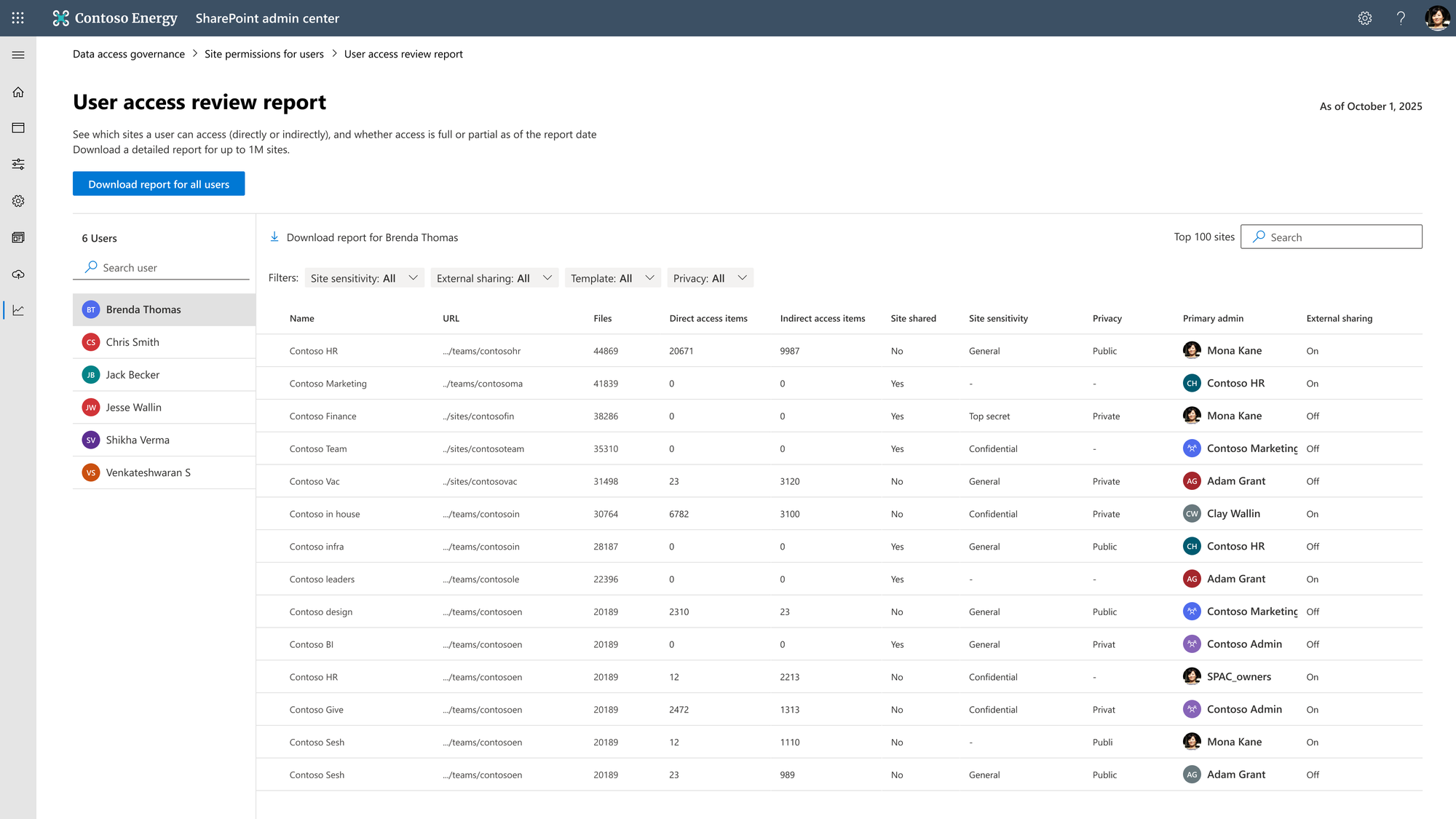
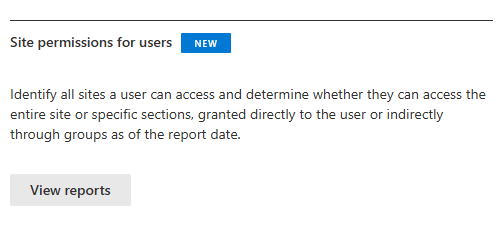
Site permissions for users answers the user-centric question: given a specific person, which sites can they access? The report distinguishes between site-level and item-level access, showing whether permissions were granted directly or through groups.
Sensitivity labels for files identifies sites containing files with specific sensitivity labels.
Licensing requirements
These reports require SharePoint Advanced Management (SAM) licensing at $3 per user per month, licensed for every user in the tenant. For a 150-person organization, that's $5,400/year.
Organizations with at least one Microsoft 365 Copilot license ($30/user/month) automatically receive SAM features for all administrators—Microsoft positioned these tools as Copilot readiness features for auditing permissions before AI can surface sensitive content.
Key limitations
Even with SAM licensed, these reports have constraints:
- 30-day refresh cycle — reports can only be regenerated monthly
- 48-hour data latency — reports capture data from up to 48 hours before generation
- Maximum 5 concurrent reports — you cannot generate unlimited user reports
- No change tracking — snapshot reports show current state, not who changed permissions or when
- CSV export only — no native Power BI integration, alerting, or automated workflows
Third-party alternatives
For organizations needing more than monthly snapshots, several established tools fill the gaps:
- Syskit Point offers comprehensive permission management with automated access reviews, lifecycle management, and detailed audit trails. Strong integration with Microsoft 365 governance workflows.
- DeliverPoint runs as an SPFx solution entirely within your tenant, no data export required. Provides real-time reporting, permission snapshots with point-in-time recovery, and site owner self-service.
- ShareGate combines migration capabilities with permission reporting. The Permissions Matrix Report provides cross-site visibility without PowerShell.
- Cognillo SharePoint Essentials Toolkit offers a free community edition with permission reports at site, list, and item level—accessible for smaller organizations evaluating their needs.
- SolarWinds Access Rights Manager provides enterprise-grade access governance across multiple platforms, with automated compliance reporting and scheduled audit delivery.
- ManageEngine SharePoint Manager Plus supports hybrid environments (SharePoint Online plus on-premises 2013-SE), with scheduled reporting and secure delegation to technicians.
Quick comparison
| Capability | Microsoft Native | Third-Party Tools |
|---|---|---|
| User-centric reports | ✓ | ✓ |
| Real-time reporting | ✗ (48h delay) | ✓ |
| Daily snapshots | ✗ (30-day minimum) | ✓ |
| Permission change tracking | Limited | ✓ |
| Automated alerts | ✗ | ✓ |
| Site owner self-service | ✗ | ✓ (some tools) |
| Hybrid environment support | ✗ | ✓ (some tools) |
When to use what
Microsoft's native reports are sufficient when you:
- Already have Copilot licenses (SAM included)
- Need quarterly or monthly permission audits
- Focus primarily on Copilot readiness assessments
- Have straightforward permission structures without frequent changes
Third-party tools are essential when you:
- Require daily or real-time permission visibility
- Need permission change auditing with historical tracking
- Want site owners to self-manage permission hygiene
- Operate hybrid SharePoint environments
- Have compliance requirements demanding continuous monitoring
- Need automated alerting on permission changes
Practical recommendation
Microsoft's native reports fill a 25-year gap and provide genuine value for periodic organizational assessments and Copilot preparation. For basic quarterly audits, they're now sufficient.
Organizations with mature governance requirements, daily auditing, change tracking, automated compliance workflows, or hybrid environments—will find the native capabilities too constrained.
The most practical approach may be hybrid: use Microsoft's native reports for periodic tenant-wide assessments while deploying a specialized tool for continuous governance in high-sensitivity areas.
After 25 years, we finally have native user permission reports. They won't solve everything, but they're a solid foundation.
Sources:
