
In May 2025, Signal did something remarkable. The encrypted messaging app, trusted by journalists, activists, and security professionals worldwide, rolled out a feature called "Screen security" for its Windows desktop application. The purpose: to block Microsoft Recall from capturing Signal conversations.
Signal's engineering team explicitly stated they do not trust Microsoft's safeguards to be effective. When the maker of one of the world's most secure messaging apps builds defenses specifically against your AI feature, that says something.
Two months later, Brave browser and AdGuard followed suit. The same month, Penn's Office of Information Security issued a warning to its community: "Recall introduces substantial and unacceptable security, legality, and privacy challenges."
The pattern is now undeniable. Microsoft Recall, the AI feature that takes screenshots of everything you do on your computer every few seconds, has returned. After being pulled in June 2024 following public backlash, it reappeared in the Windows 11 24H2 update in April-May 2025.
Microsoft insists Recall is opt-in. But security researchers have identified troubling reactivation pathways: once enabled even once, Recall can be reactivated by anyone who knows the device PIN, no biometric authentication required. And Windows updates have a documented history of resetting privacy settings without warning.
The question is no longer whether Recall poses a privacy risk. The question is why Microsoft keeps pushing it.
What Recall actually does
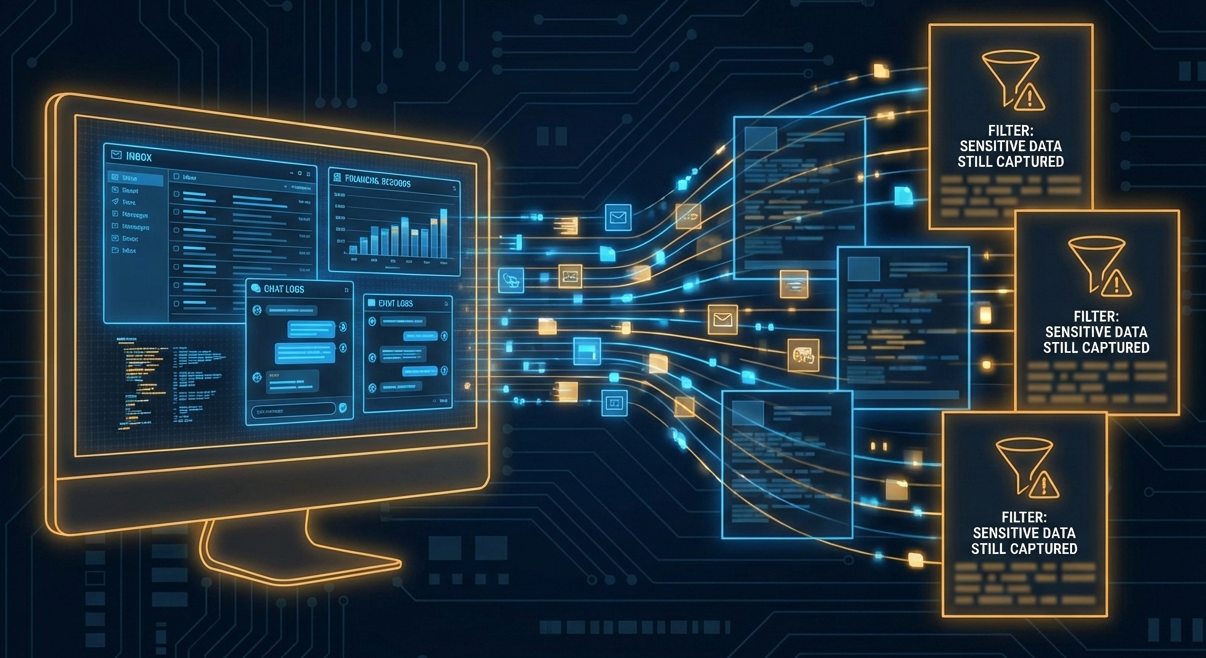
Microsoft Recall continuously captures screenshots of your screen activity every few seconds. It then uses AI and optical character recognition to make everything searchable, creating a complete timeline of your digital life.
Every email you read. Every document you work on. Every website you visit. Every private conversation in Teams or WhatsApp. Every password you type. Every bank statement you view.
All of it. Captured. Stored. Indexed.
Microsoft positions this as a productivity feature, allowing you to "retrace your steps." But the implications extend far beyond convenience.
The security failures
Independent testing by TechTarget and Kaspersky has revealed that Recall's "Filter sensitive information" feature still misses critical data:
- Credit card numbers
- Bank account balances
- Social Security numbers
- Passwords
According to Ars Technica, some users have reported instances of credit card numbers, cheques, and emails with personal data being captured despite the filter. The sensitive information filter is not reliable. Users who trust it are exposed.
The third-party problem
Recall does not just capture your data. It captures other people's information too. WhatsApp conversations with contacts. Client documents under NDA. Confidential emails from colleagues.
The third parties whose data is captured never consented to being recorded. In enterprise environments, this creates significant legal exposure under GDPR, HIPAA, and PCI DSS.
Even worse: if a self-destructing WhatsApp or Signal chat is open on screen, Recall will save it anyway, despite the chat's privacy policies. Photos and videos intended for one-time viewing will be stored if just one person in the conversation uses Recall.
The troubled history
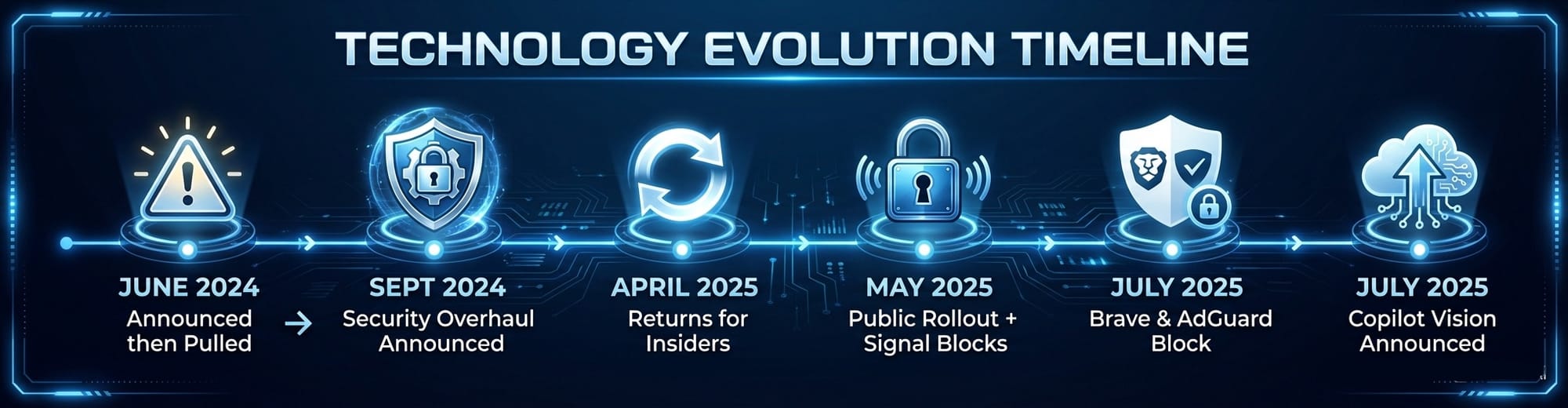
The story of Microsoft Recall is one of repeated controversy, withdrawal, and return. For the complete timeline with detailed coverage of each event, see our Microsoft Recall Timeline.
June 2024: Microsoft announced Recall with screenshots stored unencrypted in plaintext, enabled by default, impossible to remove. The UK ICO launched inquiries. Days later, Microsoft pulled the feature entirely.
September 2024: Microsoft announced a security overhaul: encryption, biometric authentication, and opt-in activation.
April 2025: Recall returned for Windows Insiders with security updates in place.
May 2025: Public rollout to all Copilot+ PC users. Signal immediately released its "Screen security" countermeasure.
July 2025: Brave and AdGuard announced they would block Recall by default. The same week, Microsoft introduced Copilot Vision, sending screenshots to Microsoft's cloud servers, deliberately excluded from the EU.
October 2025: Gaming Copilot controversy: users discovered screenshot capture without clear consent, installed automatically through Xbox Game Bar.
The "opt-in" problem
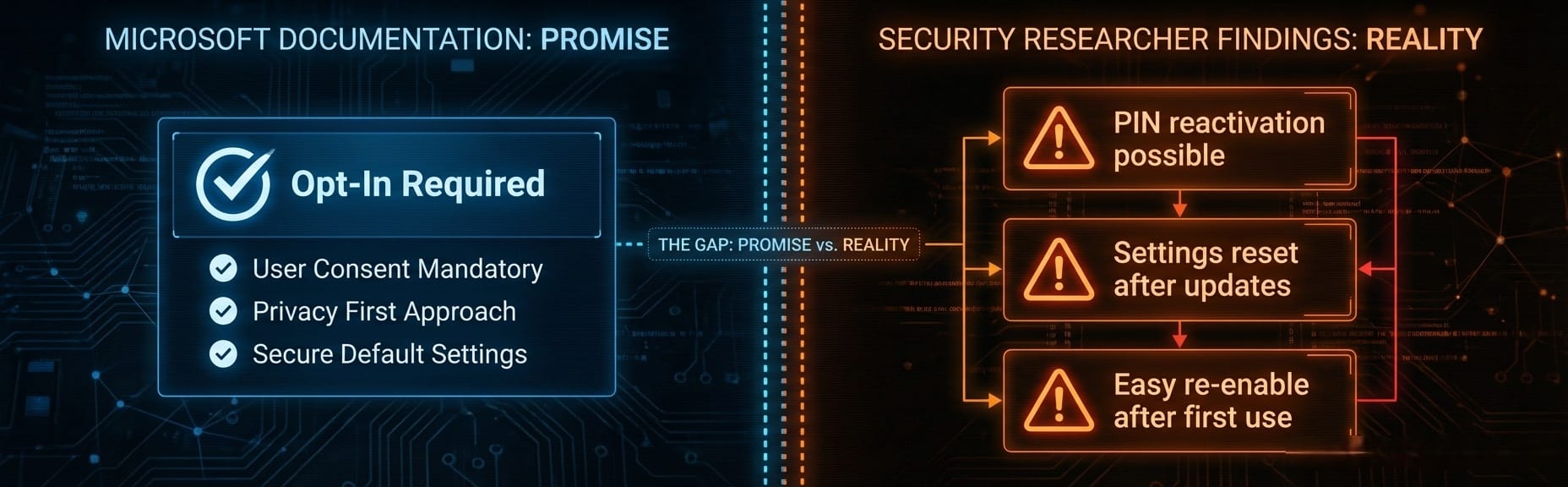
Microsoft's official documentation states clearly: "Snapshots are not taken or saved unless you choose to use Recall."
But security researchers have identified significant gaps in this "opt-in" promise.
Reactivation without biometrics
Kaspersky's analysis found that once Recall has been enabled even once, it can be reactivated by anyone who knows the device PIN, no biometric authentication required. A family member, coworker, or anyone with temporary access to your unlocked computer can turn Recall back on.
Settings reset after updates
Proton's research warns: "Windows updates have a history of reversing privacy settings without warning." Users who disabled Recall may find it quietly reactivated after the next update cycle. There is no way to monitor if Recall gets turned back on automatically.
Low bar for reactivation
Windows Forum analysis notes that Microsoft made this feature "opt-in during installation, but with a low security bar for reactivation if it's ever been enabled. After initial consent, it becomes much easier to re-enable with minimal user interaction."
Workplace pressure
In enterprise environments, IT administrators can enable Recall at the system level. While Microsoft requires end users to activate it on their individual computers, the reality of workplace dynamics means consent may not be truly voluntary. Employees can feel pressured to enable features pushed by their employer.
This raises fundamental questions about informed versus coerced consent.
Institutional and industry response
Penn's security office
Penn's Office of Information Security reviewed Recall in April 2025 and issued an unambiguous conclusion:
"Recall introduces substantial and unacceptable security, legality, and privacy challenges."
Penn is not a small organization with limited IT resources. It is a major research university with extensive security expertise. When institutions of this caliber reject a feature as "unacceptable," it carries weight.
Signal's active defense (May 2025)
Signal's response was more than a warning. It was a technical countermeasure.
In May 2025, Signal announced "Screen security" for its Windows desktop application. The feature uses DRM techniques to render screen capture attempts as black rectangles. It is enabled by default for all Windows 11 users running Signal desktop.
Signal explicitly stated they do not trust that Microsoft's safeguards can be universally effective now or in the future. The trade-off: Signal's approach also blocks legitimate screenshots, including those needed by accessibility software like screen readers.
Brave and AdGuard join the resistance (July 2025)
Two months after Signal, both Brave browser and AdGuard announced they would block Recall by default.
Brave's approach is more surgical than Signal's. The browser marks every tab as "private" to the operating system, preventing Recall capture while maintaining normal screenshot functionality for accessibility tools. As Brave noted: "We think it's vital that your browsing activity on Brave does not accidentally end up in a persistent database, which is especially ripe for abuse in highly-privacy-sensitive cases such as intimate partner violence."
AdGuard's implementation goes further: it blocks Recall system-wide across all applications, not just within one app.
When three of the most privacy-focused software makers in the industry (Signal, Brave, and AdGuard) all build countermeasures against the same Microsoft feature, the message is clear.
Regulatory scrutiny
The UK Information Commissioner's Office launched inquiries in May 2024. EU regulators are watching. GDPR compliance remains in question, particularly around:
- Consent mechanisms for third-party data capture
- The "legitimate interest" basis for continuous surveillance
- Data minimization requirements
For organizations operating in regulated industries, Recall may create compliance exposure that no productivity benefit can justify.
Protecting yourself
Check if Recall is running
Open Task Manager (Ctrl+Shift+Esc) and look for "Recall" in the processes list. If you see "Recall (preview)" running and you never enabled it, investigate immediately.

Disable Recall (basic)
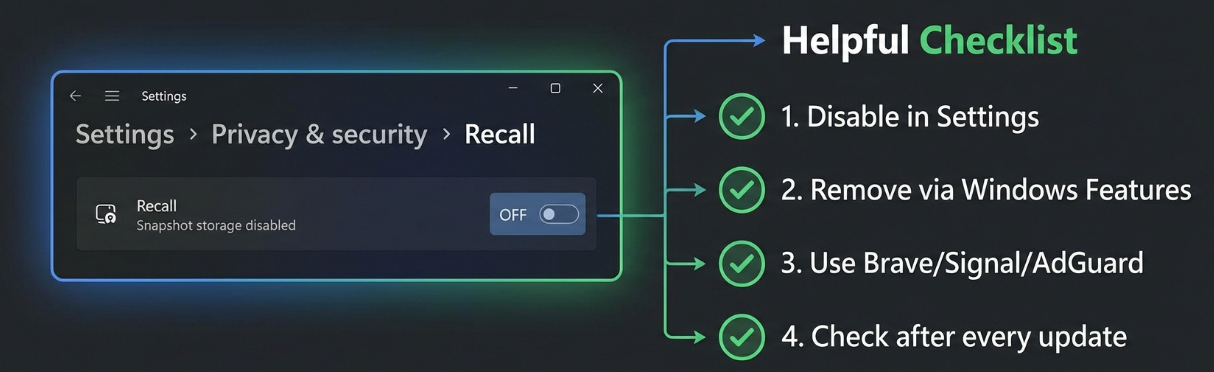
- Press Windows+i to open Settings
- Click "Privacy & security" in the left sidebar
- Navigate to "Recall & snapshots"
- Turn it off
Disable Recall (permanent)
For a more permanent solution, according to Proton's guide:
- Search "Turn Windows features on or off" in the taskbar
- Uncheck "Recall"
- Restart your computer
This removes Recall from the system entirely, rather than just disabling it.
Enterprise: use Group Policy
IT administrators can disable Recall via Group Policy:
- Disable Group Policy: "Allow Recall to be enabled"
- Restart PCs
- This completely removes the Recall toggle and related components
Use privacy-focused software
Consider switching to browsers and apps that block Recall:
- Brave browser (v1.81+): Blocks Recall by default while preserving normal screenshot functionality
- Signal desktop: Blocks all screenshots including Recall
- AdGuard: System-wide Recall blocking
Check after every update
This is the most important step: verify Recall is still off after each Windows Update. Microsoft's update process has a documented history of resetting privacy settings without warning.
The bigger picture
Recall represents a fundamental shift in how Microsoft views your computer. It is no longer just a tool you use. It is a platform that Microsoft believes should record everything you do "for your convenience."
The pattern continues
In July 2025, Microsoft introduced Copilot Vision, an extension of Recall that takes data collection even further. While Recall processes screenshots locally, Copilot Vision sends them to Microsoft's cloud servers for analysis. Microsoft deliberately excluded Copilot Vision from the European Union, a tacit acknowledgment that its cloud-based model cannot comply with GDPR.
In October 2025, Gaming Copilot sparked another privacy controversy when users discovered it was capturing gameplay screenshots and sending data to Microsoft servers by default, installed automatically through Xbox Game Bar without clear consent.
When you combine these developments:
- Recall's continuous local screenshots
- Copilot Vision's cloud-based screen analysis
- Gaming Copilot's default-on screenshot capture
- Windows 11's mandatory telemetry
A pattern emerges. Microsoft wants your data. All of it. And they are making it increasingly difficult to say no.
Signal, Brave, and AdGuard didn't build Recall countermeasures as a marketing stunt. They built them because their security teams concluded that Microsoft Recall poses a genuine risk to user privacy, and that Microsoft's safeguards cannot be fully trusted.
Penn's Office of Information Security reviewed Recall and found it "unacceptable." The UK Information Commissioner's Office is investigating. Independent testing shows the sensitive information filter fails to catch passwords and financial data. Security researchers have documented reactivation pathways that undermine the "opt-in" promise.
Yet Microsoft continues to expand its screen-capture ecosystem. Recall locally. Copilot Vision in the cloud. Gaming Copilot by default.
The market has spoken: Copilot+ PCs made up less than 2% of Windows laptops sold in early 2025. Users are not embracing Microsoft's vision of an AI that watches everything they do.
Check your Task Manager. Disable Recall if you find it. Switch to privacy-respecting browsers. Keep checking after every update. Because in 2025, your Windows PC may be watching everything you do, and the "opt-in" promise may be thinner than Microsoft suggests.
